Build visually
Typed stage settings and schema validation, backed by portable YAML variants.
OPEN SOURCE / BUILT IN RUST
Stream data through a graph of small, focused tools. Run it with Rust. See every stage in DPE Editor.
npm install -g dpe01 / THE PIPELINE, EXPOSED
Open the graph, configure a stage, launch a run. Follow record counts and errors, then search the logs of the stage you need to understand.
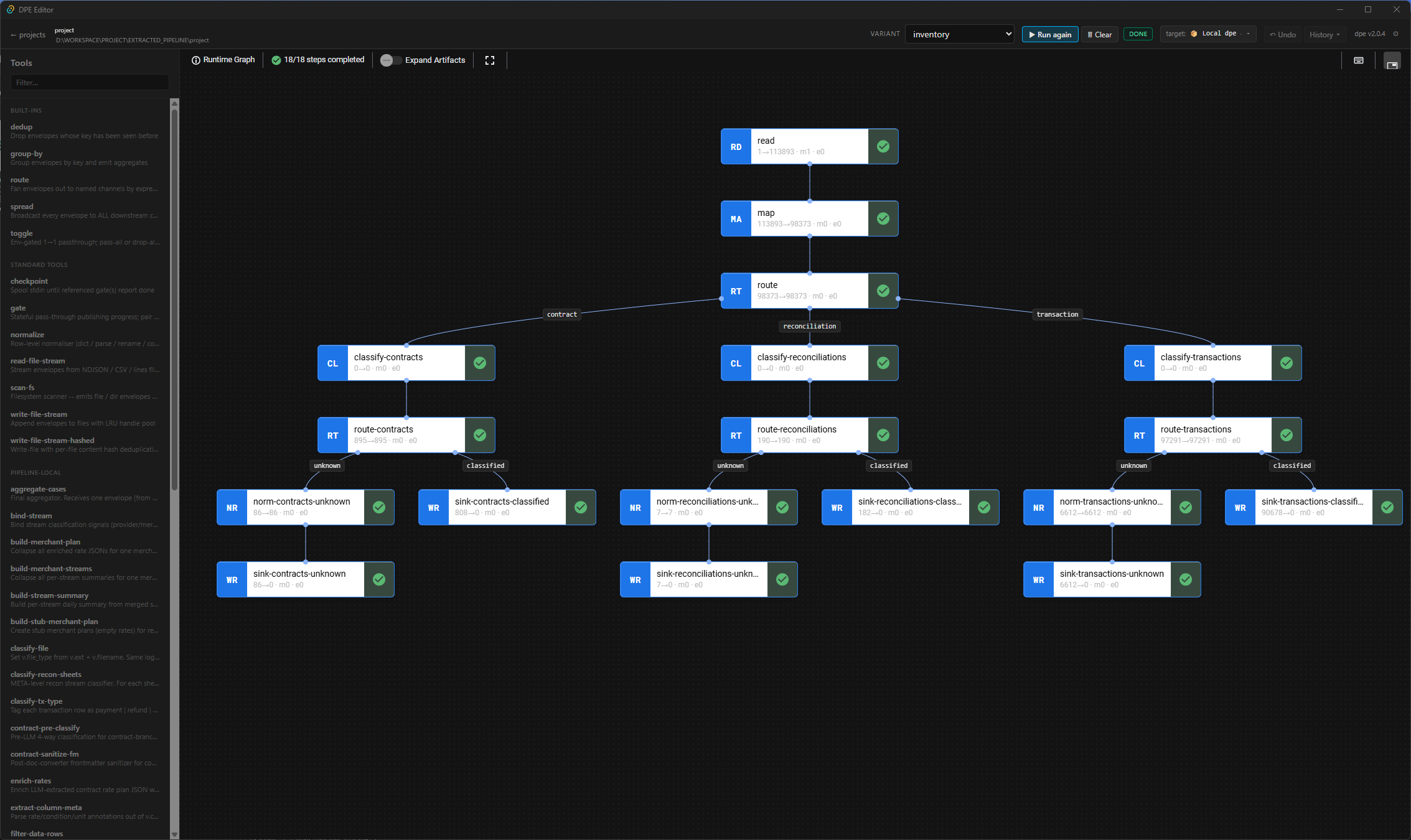
Typed stage settings and schema validation, backed by portable YAML variants.
Input counts, output counts, errors and execution state on each stage.
Per-stage log search and session artifacts to understand the result.
Desktop companion · early prerelease · runs your local DPE binary
02 / UNDER THE GRAPH
The graph describes the work. DPE connects tools over OS pipes and coordinates the run. Each tool receives structured input and produces the next stream.
Route records by expression, merge upstream streams and run replicas for stages that benefit from parallel processing.
route / spread / replicas / fan-inMove NDJSON envelopes between stages. Use gates and disk-backed checkpoints wherever work needs an explicit barrier.
stdin → tool → stdoutWrite tools in Rust, Python or TypeScript with Bun. The SDKs provide output, metadata, tracing and diagnostics.
Rust / Python / TypeScript + BunSnapshot a stage in isolation. Compare emitted channels and file outputs, then check coverage across your variants.
dpe test / dpe coverage03 / MAKE IT USEFUL
Scan files, read CSV or NDJSON, normalize records and write structured output.
Compose your classification, reconciliation or AI tools into a pipeline you can inspect and test.
04 / YOUR NEXT PIPELINE
Install the runner. Scaffold a pipeline. Start with the tools included, then add your own.
Get DPE on GitHub ↗QUICK START / TERMINAL
npm install -g dpe

dpe init my-pipeline
cd my-pipeline

dpe run .:main \
  -i data/input \
  -o data/output \
  --seed '{"path":"$input"}'